Table of Contents
- What Rapid Prototyping Is and Why Speed Matters
- How the Rapid Prototyping Process Works: From File to Finished Part
- 3D Printing Prototype Turnaround Time by Method
- 3D Printing vs CNC Machining for Prototypes: Timeline Comparison
- How to Prepare a 3D Model for Printing to Meet Your Timeline
- Factors That Affect Prototype Turnaround Time
- Real-World Timeline Examples for Different Project Scenarios
- How to Reduce Rapid Prototyping Turnaround Time
- Frequently Asked Questions
Last Updated: October 21, 2026
What Rapid Prototyping Is and Why Speed Matters
Rapid prototyping is the process of quickly creating physical models or functional parts from digital designs to test, validate, and iterate on product concepts, a rapid prototyping take that bridges your CAD file and a real part you can hold and refine. It bridges your CAD file and a real part you can hold and refine before committing to full production. Instead of waiting weeks or months for traditional manufacturing, you can move from design to prototype to validation in days or even hours.
Every iteration that takes a week instead of a day compounds into launch delays. Teams that prototype quickly test riskier ideas, catch design flaws before they become expensive production problems, and validate market fit without betting the company on an untested concept.
When turnaround drops from three weeks to three days, you can afford to test more variations and iterate toward a better final product.
How the Rapid Prototyping Process Works: From File to Finished Part
The rapid prototyping process follows a predictable workflow, though speed at each stage depends on your method and complexity.
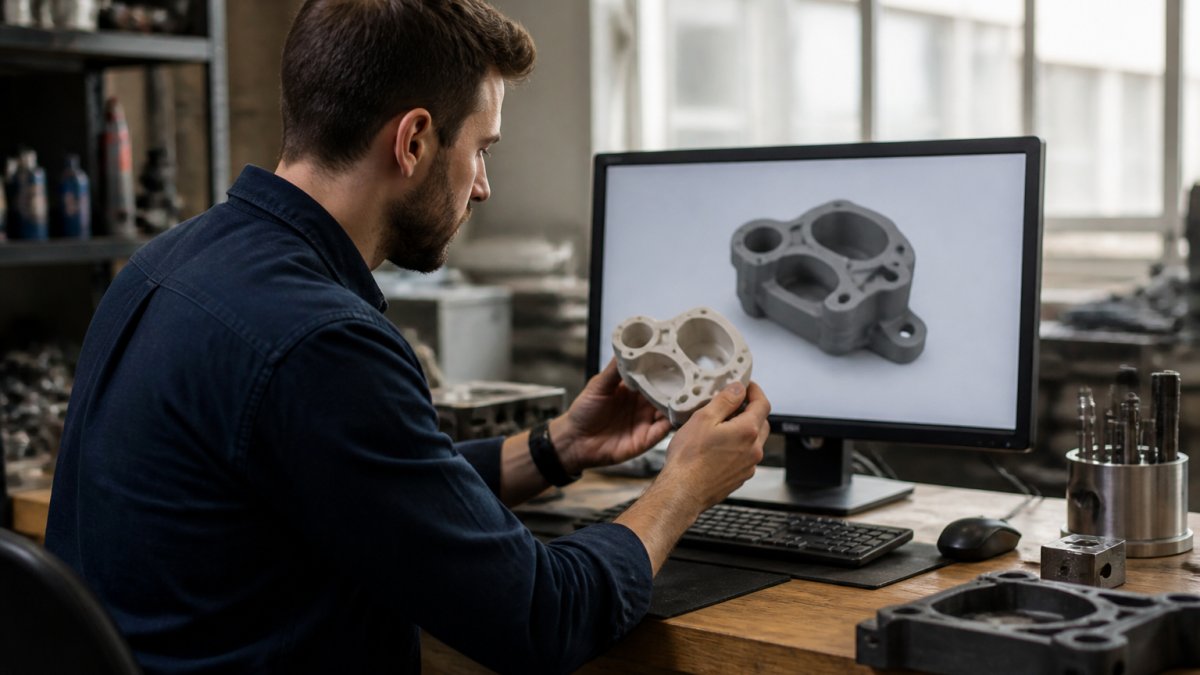
Step 1: Design and File Preparation (1-2 business days) Your CAD model needs to be export-ready: error-free, with proper wall thickness, achievable tolerances, and a format your provider accepts (typically STL or STEP).
Step 2: Quote and Approval (same day to 1 business day) Once your file is reviewed, you get a quote with a timeline.
Step 4: Post-Processing and Finishing (1-3 business days) Raw parts often need supports removed, surfaces smoothed, curing or heat-treating, or coatings.
Step 5: Delivery (1-5 business days) Final delivery adds a few days depending on location and shipping partner; expedited shipping cuts this to 1-2 days at higher cost.
Total elapsed time from file submission to part in hand typically ranges from 5-14 business days for standard service, or 2-5 business days expedited, depending on method and part complexity.
3D Printing Prototype Turnaround Time by Method
Not all 3D printing methods deliver the same speed. Each has different build times, post-processing requirements, and material constraints. Understanding the differences helps you pick the right method for your timeline.
FDM (Fused Deposition Modeling) Timeline
FDM is the most common 3D printing method and often the fastest for medium-sized functional prototypes.
Production time depends on part volume and layer height: a small bracket might print overnight, a larger enclosure 24-48 hours. Support removal and light finishing add 1-2 days. FDM parts are ready to test quickly, which is why this method dominates functional prototyping. The trade-off is surface finish: visible layer lines mean smooth surfaces need extra finishing time. Material options include PLA, ABS, and polycarbonate, each affecting print and post-processing time.
SLA (Stereolithography) Timeline
SLA resin printing delivers higher detail and smoother surfaces than FDM.
Production time is often faster than FDM, with high-detail parts printing in 4-8 hours, but parts must be rinsed, UV-cured, and sometimes finished, adding 1-2 days minimum.
SLA excels for intricate geometry, tight tolerances, and surface finish: dental models, jewelry prototypes, and detailed mechanical components. For fine features, SLA often wins on total time despite longer curing.
SLS (Selective Laser Sintering) Timeline
SLS fuses powder into solid parts with a laser. It's more expensive and slower than FDM or SLA for most prototypes.
Production time is longer because the powder bed must be heated and cooled between layers. Parts need no supports (surrounding powder holds them), saving post-processing time, but still need cleaning and sometimes finishing.
SLS suits complex geometries that would need extensive supports in FDM, or parts needing high strength and durability. If your prototype must survive real-world testing, SLS outperforms FDM or SLA in toughness.
3D Printing vs CNC Machining for Prototypes: Timeline Comparison
The choice between 3D printing and CNC machining depends on geometry, material requirements, and timeline. They're complementary, and sometimes the best prototype uses both.
3D Printing Timeline: 2-7 business days 3D printing is fastest for complex geometries, organic shapes, and internal features that would be impossible or prohibitively expensive to machine, with consistent, predictable turnaround.
CNC Machining Timeline: 3-10 business days CNC machining is faster for simple geometries, tight tolerances, and metal parts: a simple aluminum bracket might machine in 1-2 days, while complex multi-axis work takes longer.
The Practical Choice For most prototypes, 3D printing is faster for the first iteration because setup is minimal. If you need metal, production-grade tolerances, or a part that will eventually be machined in production, CNC wins despite longer lead time.
How to Prepare a 3D Model for Printing to Meet Your Timeline
Your CAD model directly impacts how long rapid prototyping takes: a well-prepared file moves through production without delays, while a problematic one gets flagged, sent back, and adds days.
File Format and Export Export in STL or STEP depending on what your partner accepts: STL is universal but loses precision, STEP preserves detail but needs compatible software on both ends.
Wall Thickness and Support Requirements Walls under 1mm often fail or warp, and the printer must slow down to avoid deformation, extending print time; thicken them or accept longer prints.
Tolerance Specification Specify only the tolerances you need: ±0.01 inch is achievable but slower than ±0.1 inch, since tight tolerances require careful setup, slower speeds, and sometimes extra finishing.
Size and Nesting Larger parts take longer to print. Splitting a large part into smaller sections that print independently often decreases total production time through parallel or shorter individual runs.
Material Selection PLA prints faster than polycarbonate, and standard resins faster than tough or flexible ones.
Factors That Affect Prototype Turnaround Time
Turnaround time isn't fixed. Several variables shift the timeline, sometimes dramatically. Understanding these factors helps you plan accurately and identify where you can save time.
Part Complexity and Geometry
Complex parts take longer than simple ones, and the relationship is non-linear: a part with 10 internal cavities doesn't take twice as long as one with 5, it might take three times as long because the printer must navigate intricate geometry carefully. Organic shapes, fine details, and internal features all increase print time: a smooth cube prints in hours, a part with complex curves and internal channels in days. Overhanging geometry adds time because every support must be printed, removed, and the resulting surface finished, so a design that minimizes overhangs prints faster and requires less post-processing.
Part Size and Material Selection
Larger parts take longer to print because the printer must cover more volume: a small bracket might print in 4 hours, a large enclosure in 48. Material selection affects both print speed and post-processing time: PLA prints faster than polycarbonate, standard resins cure faster than tough or flexible variants, and metal 3D printing is significantly slower than plastic. Choose based on functional requirements, but understand that specialty materials add time.
Post-Processing and Finishing Requirements
Raw parts aren't always finished parts: support removal, surface smoothing, curing, coating application, and quality inspection all add time after printing stops. A part that ships raw moves faster than one requiring cosmetic finishing or functional coatings. If your prototype is for internal testing, skip the finishing; if it's for client presentation or durability testing, finishing becomes necessary and adds 1-3 days.
Design Iteration and Validation Needs
If you're planning multiple iterations, each cycle adds time. Design → print → test → redesign → print again. If your first prototype has design flaws that require reprinting, total project time extends significantly.
The best practice is validation before production. Review your design carefully, run simulations if possible, and catch errors in the CAD stage rather than discovering them in a printed part. This prevents reprints and keeps your overall timeline on track.
Real-World Timeline Examples for Different Project Scenarios
Timelines look different depending on what you're prototyping and how much iteration you expect. Here are practical examples showing how the variables interact.
Scenario 1: Simple Functional Bracket (FDM) You need a plastic mounting bracket for internal testing.
Timeline: 3 business days
- File prep and approval: 1 day
- FDM printing: 1 day
- Support removal and basic finishing: 1 day
Scenario 2: Complex Mechanical Assembly (Multi-method) You're prototyping a mechanical assembly with 12 parts. Some parts have tight tolerances and need metal.
Timeline: 8-10 business days
- Design review and file prep: 1 day
- CNC machining for metal parts: 4-5 days
- SLA printing for complex plastic parts: 3-4 days
- Assembly and testing: 1 day
This scenario requires multiple methods and careful coordination. The longest lead item (CNC work) dominates the timeline.
Scenario 3: Iterative Design Validation (FDM with Reprints) You're testing a product design and expect 2-3 iterations based on initial results. Each iteration involves design changes and reprinting.
Timeline: 12-15 business days for full cycle
- Iteration 1: 3 days (print → test)
- Design review and modifications: 1 day
- Iteration 2: 3 days (print → test)
- Design review and final modifications: 1 day
- Iteration 3: 3 days (print → test)
Iteration adds significant time. Reducing iterations through better upfront design validation compresses the entire timeline.
Scenario 4: Tight Tolerance Metal Prototype (CNC) You need a production-grade aluminum part with tolerances of ±0.005 inch. This will be tested to failure to validate material selection.
Timeline: 6-8 business days
- Design review and setup: 1 day
- CNC machining with tight tolerance work: 3-4 days
- Inspection and quality verification: 1 day
- Delivery: 1-2 days
Tight tolerances require careful setup and slower machining speeds. This timeline is longer than a simple part, but the result is production-ready.
How to Reduce Rapid Prototyping Turnaround Time
If your project timeline is aggressive, several tactics compress turnaround without sacrificing quality.
1. Simplify Design Before Prototyping The fastest prototype is the one that requires the least manufacturing time. Review your CAD model and eliminate unnecessary complexity.
A 10-minute design review that eliminates one day of print time is the best time investment you can make.
2. Choose the Right Manufacturing Method FDM is fastest for most functional prototypes, SLA for high-detail parts, and CNC for metal or production-grade tolerances.
3. Prepare Files Thoroughly Before Submission A well-prepared file moves through production without delays.
4. Use Expedited Service When Justified Most manufacturing providers offer expedited service for urgent projects: dedicated machine time, priority queue placement, and faster post-processing.
5. Plan for Parallel Processing If your prototype involves multiple parts, schedule manufacturing in parallel rather than sequentially.
6. Build Validation Into Your Design Process The fastest prototype is one you don't have to reprint.
Rapid prototyping timelines depend on your manufacturing method, part complexity, and how much iteration you expect.
Ready to accelerate your product development? Get started with Black Creek Works and see how rapid prototyping can compress your design-to-validation timeline while maintaining the precision and quality your project demands.
Frequently Asked Questions
How long does rapid prototyping typically take from start to finish?
Rapid prototyping timelines vary for most projects. The exact timeline depends on part complexity, size, material choice, and whether finishing work is required. Expedited services may compress these timelines further.
What factors have the biggest impact on 3D printing prototype turnaround time?
Part complexity, size, and material are the primary drivers. Large parts or intricate geometries with internal features require longer print times and more post-processing. Material selection matters too: some materials cure faster than others, and certain finishes demand additional work. Design files that require revision before production also extend the schedule. Ordering during peak periods may add queue time at the service provider.
Is 3D printing faster than CNC machining for prototypes?
It depends on the part. For complex geometries with internal features, 3D printing is usually faster because it doesn't require tool changes or extensive setup. CNC machining wins for simple, high-tolerance parts because there's minimal post-processing. For functional prototypes needing tight tolerances (±0.005 inch or tighter), CNC may actually be quicker despite longer individual part times, since 3D printed parts often need finishing work to meet specifications.
How can I speed up my prototype production timeline?
Prepare your CAD model correctly before submission to avoid revision cycles. Simplify geometry where possible, avoid extremely tight tolerances if not essential, and select materials that match your testing needs rather than final-product specs. Consider expedited services if available. Batch multiple parts together to reduce setup time per unit. Clear communication with your manufacturer about your deadline and design intent upfront prevents delays.